
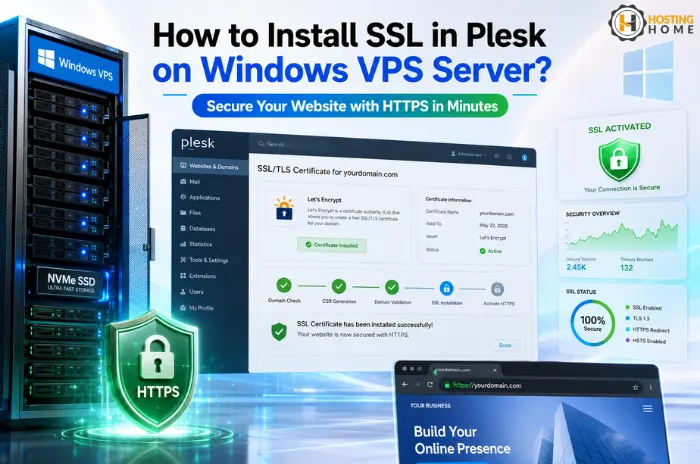
How to Install SSL in Plesk on Windows VPS Server?
Website security has become one of the most important parts of an online business. Today, visitors expect that websites be secure, and browsers also alert users if a website does not have SSL installed.
If you are using a Windows VPS server with Plesk, installing SSL is simple and takes only a few minutes. SSL provides encryption of data between your site and visitors, improving both the security and trust.
In this blog, we will explain how to install SSL in Plesk on a Windows VPS, step by step, and in an easy way.
Why is SSL Important for Websites?
SSL certificates protect:
- Login details
- Customer information
- Payment data
- Website communication
If SSL is not used, browsers may show “Not Secure” warnings, which can reduce the trust of visitors.
Many users hosting websites on Windows VPS server hosting have SSL installed on their VPS server as a way to improve their website’s security and SEO.
What You Need Before Installing SSL?
Make sure you have:
- A domain name that is connected to your VPS
- Plesk access
- An active SSL certificate
Most hosting providers also provide free SSL certificates for websites hosted on their servers.
If you are using a cheap Windows VPS server or a high-performance setup, the steps to install SSL are mostly the same.
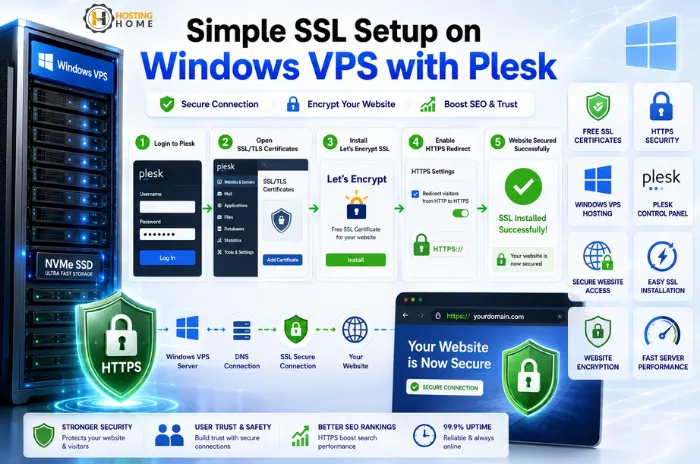
Step 1: Log in to Plesk Panel.
Open your browser and log in to your Plesk control panel with your VPS details.
Inside Plesk:
- Go to “Websites & Domains”
- Choose your website domain name.
Plesk makes server management easy, even for beginners, using Windows VPS server hosting in India.
Step 2: Open SSL/TLS Certificates Section
After selecting your domain:
- Click on the link “SSL/TLS Certificates”.
- Click on “Add SSL Certificate”
Here you can either:
- Upload a purchased certificate.
- Create a free Let’s Encrypt SSL.
Many users prefer free SSL as it is quick and secure.
Step 3: Install Free SSL Using Let’s Encrypt
However, Plesk allows easy integration with Let’s Encrypt.
To activate:
- Click on the “Install” option under Let’s Encrypt.
- Enter your e-mail address.
- Choose the domain and subdomain.
- Click Install
In just a few moments, SSL will be active on your website.
This feature is helpful when users are looking for cheap Windows VPS server hosting with easy security management.
Step 4: Enabling HTTPS Redirection.
After the installation of SSL, you should force HTTPS.
Inside Plesk:
- Open Hosting Settings
- Make sure you enable “Permanent SEO-safe 301 redirect from HTTP to HTTPS.”
This makes sure that visitors always visit the secure version of your website.
Step 5: Verify SSL Installation.
Once setup is complete:
- Open your website in a browser.
- Check the padlock icon.
- Confirm that HTTPS is working correctly.
If the SSL is installed properly, the browser will display the website as secure.
Common SSL issues on Windows VPS
Sometimes, SSL may not work properly due to:
- Incorrect DNS settings
- Firewall restrictions
- Expired certificates
- Improper domain pointing
Reliable providers offering the best Windows VPS server hosting usually help customers solve such issues quickly.
Why Plesk is popular on Windows VPS
Plesk is one of the most commonly used panels as it makes server management easier.
Users can:
- Manage websites easily
- Install SSL quickly
- Handle emails and manage databases.
- Monitor hosting performance
This is why many businesses opt for having the best VPS server Windows environment with Plesk installed.
Choosing the right Windows VPS provider.
Having SSL is not the only factor for good performance; server quality is as well.
Before you buy Windows VPS server, make sure to check:
- Server uptime
- Support quality
- Hardware performance
- Security features
A reliable best Windows VPS hosting provider helps in maintaining websites secure and stable.
Affordable Windows VPS Hosting in India
Today, Businesses can easily find:
- Flexible hosting plans
- Affordable Windows VPS server price options.
Some users also try a free VPS server Windows trial or a free VPS server Windows demo before moving or upgrading to the production environment.
Why Choose Hosting Home for Windows VPS Server Hosting?
If you are looking for reliable and affordable Windows VPS hosting, Hosting Home offers high-performance VPS solutions with strong support and security.
Hosting Home Windows VPS Features:
- Reliable Windows VPS server hosting infrastructure.
- Affordable and cheap Windows VPS server hosting plans
- Easy Plesk management support
- Fast and secure VPS server Windows environments
- Scalable solutions for business websites and applications
- Free SSL certificates
- Free weekly backups
- Free DDoS protection
- Free migration support
- 99.99% uptime guarantee
- High-priority WhatsApp support for quick help.
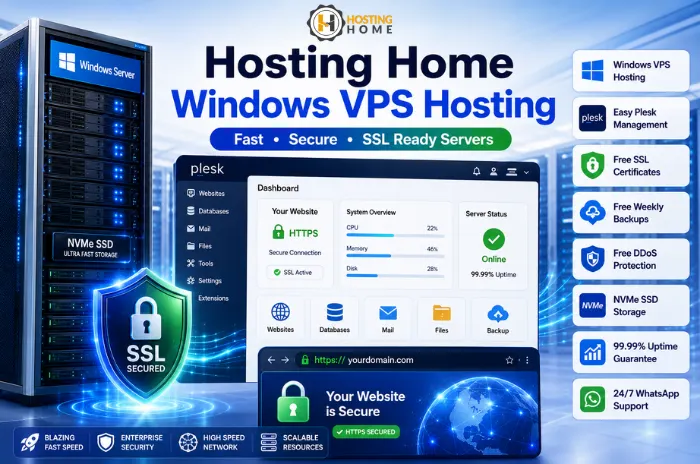
Hosting Home is a trusted provider offering the best Windows Server VPS hosting solutions for websites, applications, and business hosting in India.
If you are planning to buy Windows VPS server with fast speed and strong support, Hosting Home is the right choice for your website in 2026.