
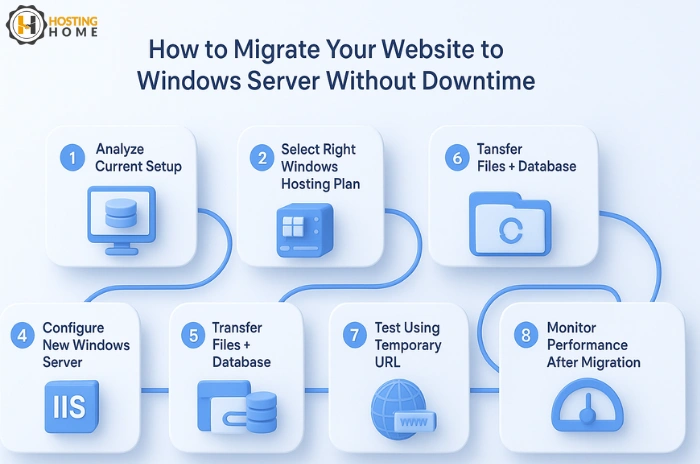
Are You worry about How to migrate your website to Windows Server Without Downtime? Migration of a live website can feel risky, especially when you want no interruptions for your visitors. But, with proper planning and with the right tool, migrating your website to a Windows Server can be very easy. Most businesses in India migrate to Windows-based hosting as it supports frameworks such as ASP.NET, MSSQL, and .NET Core, along with the uptime of the Windows Server operating system.
If you are planning to move your website to a new host or upgrading to a higher Windows Server hosting plan, this blog will know you how to do it with zero downtime.
Understand Your Current Setup Before Moving
Before you start, list everything your website uses.
This includes:
- Current hosting platform
- Database type
- Programming framework
- Storage needs
- Customized configuration
This is an important step since not all Windows Server versions may match your older hosting environment.
Choosing compatible Windows Server OS versions makes sure that after the migration, your website runs smoothly.
Choosing the Right Windows Hosting Plan
Each website needs a different kind of power. Check the size of your website, your traffic, and future growth before selecting.
Following are some of the most common options in Windows hosting India:
Shared Windows Hosting
Affordable and right for small websites.
Best for users looking cheap Windows hosting or cheap Windows web hosting.
Windows VPS Hosting
More control, better speed, and best for growing business websites.
Dedicated Windows Server
High speed, maximum security, and full control of the Windows web hosting server.
Cloud Windows Hosting
Scalable and secure for business applications and high-traffic platforms.
Look for clear prices of Windows web hosting, good uptime, and free support, this will help you choose one of the best Windows hosting in India.
Create a Backup of Your Website
Before migration, take a full backup of:
- Website files
- Databases
- Emails
- Application settings
This makes sure that nothing is lost during the migration process. The backup will also allow you to test your website on the new hosting server before making it live.
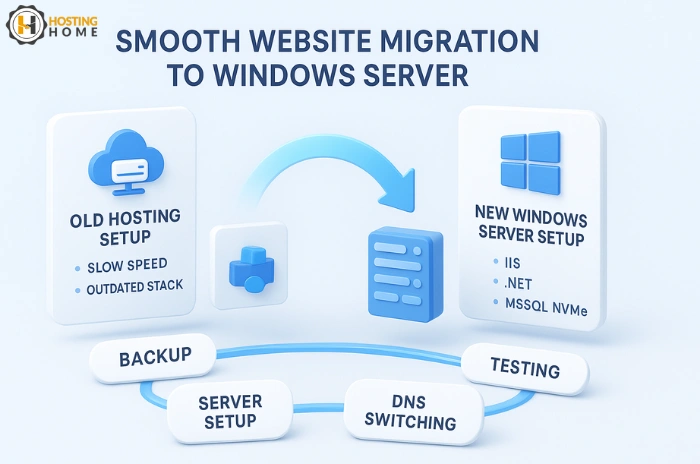
Setup the New Windows Server
After selecting your new plan, setup your new server.
Install and setup:
- IIS: Internet Information Services
- Required .NET versions
- MSSQL databases
- Permissions for folders
- Security settings
This setup will make sure you have a ready, error-free server for web hosting in Windows.
If your website needs specific frameworks, check their compatibility with the selected versions of Windows Server OS.
Move Your Website Files and Database
Use an FTP client or a file manager to transfer your website files to the new hosting account.
Import your database via MSSQL or your control panel.
For smooth migration:
- Upload files first
- Import databases after
- Update database connection strings
- Test every page before going live
This is a key step in making a safe migrating to Windows Website Hosting.
Check and Test Your Website Before Switching DNS
Your new host will provide you with a temporary URL or IP.
Use it to check:
- Page loading
- Database connections
- Forms
- Applications
- Admin panel
- Payment gateways
Testing everything before the final step make sure a smooth hosting on your new Windows web hosting India platform.
Update DNS with Zero Downtime
Once you have confirmed everything works smooth on the new server:
- Update the DNS records
- Lower TTLs in advance of the migration
- Wait for DNS propagation. Usually 1–24 hours.
Because your old server stays live during DNS updates, your users will not face downtime.
This is how you maintain uptime while hosting Windows applications and websites.
Monitor the website After Going Live
Check the following after migration:
- Website speed
- Uptime
- Database performance
- Error logs
- Visitor flow
This helps make sure that nothing breaks after DNS update.
A Trusted provider offering strong Windows web hosting services will also fix problems faster.
Why Hosting Home Is the Best Choice for Windows Website Hosting in India
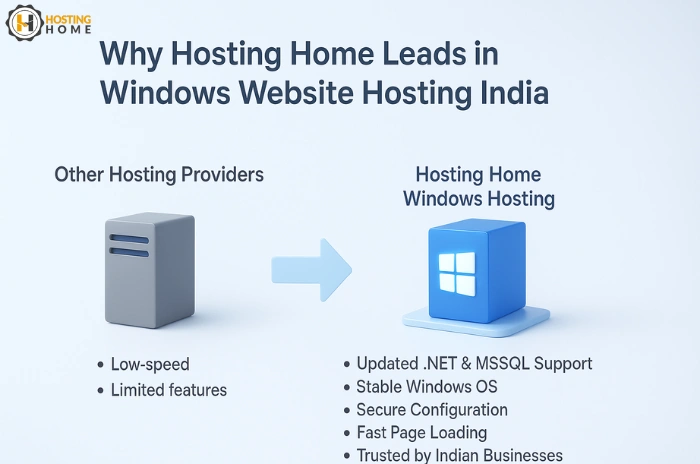
If you are looking for an easy, smooth migration without downtime, Hosting Home is one of the most reliable providers of Windows hosting in India.
- Free SSL certificate
- Free weekly backups
- Free DDoS protection
- Free website migration
- Free Dedicated WhatsApp support
- 99.99% uptime guarantee
- Fast NVMe SSD storage
- Affordable Windows hosting plans in India
- Fully upgraded servers for ASP.NET, MSSQL and .NET applications
If you need affordable Windows hosting, powerful VPS, or high-speed dedicated Windows servers, Hosting Home provides the perfect platform for your business website.