
How to setup a Windows VPS server in India, Windows VPS server is one of the most right hosting solutions for companies, developers, and users who need total control and security. With Windows VPS hosting, you get to use a virtual private server supported by the Windows operating system — offering you the power of a dedicated server at a much more affordable price.
If you are looking to setup a Windows VPS in India, the setup can be easily done, within few minutes, and even without having much technical knowledge. Let us go through step by step and learn how you can get started easily.
1. What Is a Windows VPS Server
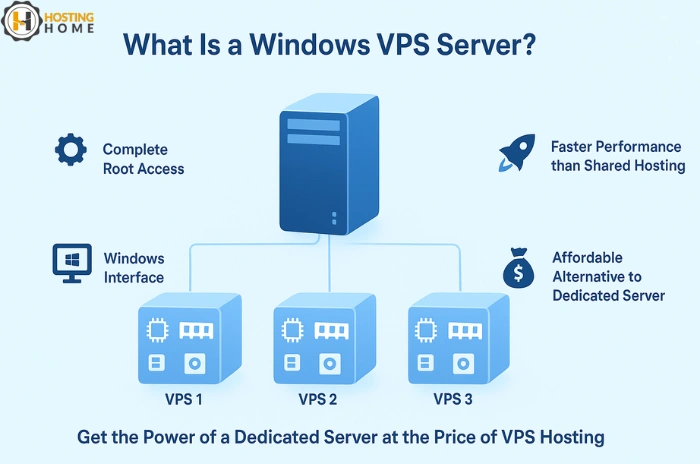
A Windows VPS server shares a physical server into multiple virtual servers. Each one of them have its own resources like CPU, RAM, and storage. It’s best between shared hosting and dedicated servers.
The primary benefit of Windows VPS hosting in India is that it gives you complete root access, means you can install applications, host websites, or run applications without any restriction — just like a dedicated server, but at a cheap Windows VPS price.
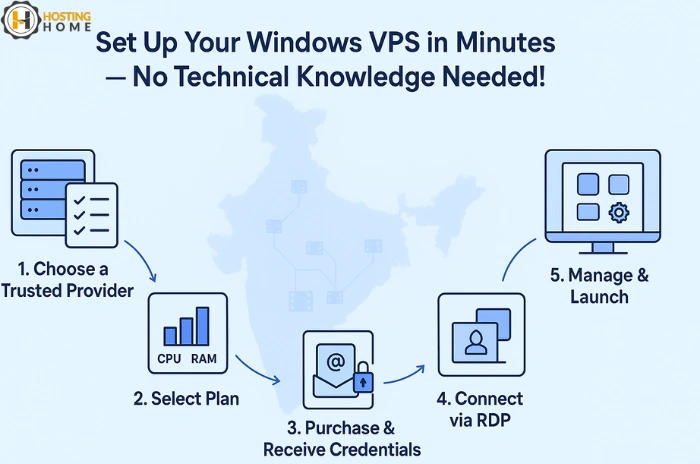
2. Choose a Trusted Hosting Provider
Before you start, you need to select a good hosting company. Look for the best Windows VPS companies in India that gives good uptime, NVMe storage speed, DDoS protection, and easy upgradation.
Make sure that they offer a free VPS server Windows trial or demo to test with uptime before buying. Many providers, like Hosting Home, offer simple ways to buy Windows VPS server plans with 24/7 support.
3. Choose the Right Plan
When you buy Windows VPS, choose a plan that fits to your project needs:
- CPU power and RAM (for results)
- Storage type (SSD or NVMe for speed)
- Bandwidth (for high-traffic websites)
- Data center location (using an Indian server make sure of low latency to local users)
If you are looking for affordable options, cheap Windows VPS server India plans offer great speed without any expensive prices.
4. Set Up and Access Your Windows VPS
After the purchase is done, you will get login credentials (IP address, username, and password). You can remotely access your VPS via Remote Desktop Protocol (RDP).
How to do it:
- Open Remote Desktop Connection on your computer.
- Enter your server IP address.
- Log in with the credentials provided by your hosting provider.
When you log in, you’ll be seeing the similar Windows desktop interface — ready for setup. You can install software, setup hosting environment, or run your applications.
If you choose cheap Windows VPS with RDP, you will have smooth access and complete control with a secure, remote desktop connection.
5. Protect and Updates Your Server
After setting up, don’t forget security and updates:
- updates Windows regularly.
- Add antivirus and firewall.
- Set daily backups.
- Check CPU and RAM usage.
By regular checking, your Windows VPS server performs fast, strong, and secure.
6. Test and Start Your Projects
Once you have setup, you are ready to host websites, handle with databases, or host Windows applications. Test speed and load to make sure that everything goes smooth. If you face any issue, your support staff at the hosting company must be available 24/7 to resolve it.
Why Choose Hosting Home for Windows VPS Hosting
If you’re ready to Buy Windows VPS server, Hosting Home is the perfect choice for fast, secure, and affordable hosting in India.
Here is why businesses and developers trust us:
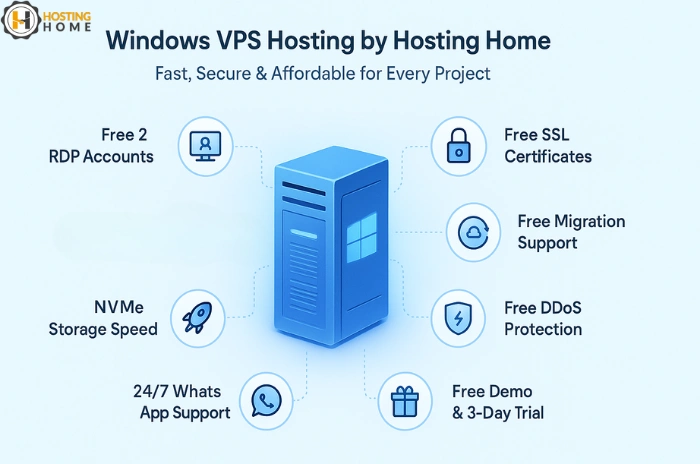
- Free 2 RDP Accounts with every Windows VPS plan
- Free SSL Certificates
- Free Migration Support
- Free Weekly Backups
- Free DDoS Protection
- 99.99% Uptime Guarantee
- Free Demo and 3-Day Trial
- Free Dedicated WhatsApp Support
- Latest NVMe Storage for High Speed
Weather if you like to host applications, manage client projects, or run business online — Hosting Home provides the best Windows VPS hosting in India at an unbeatable dedicated performance and affordable price.
Get started now and Enjoy the power of your own Windows VPS with Hosting Home!